
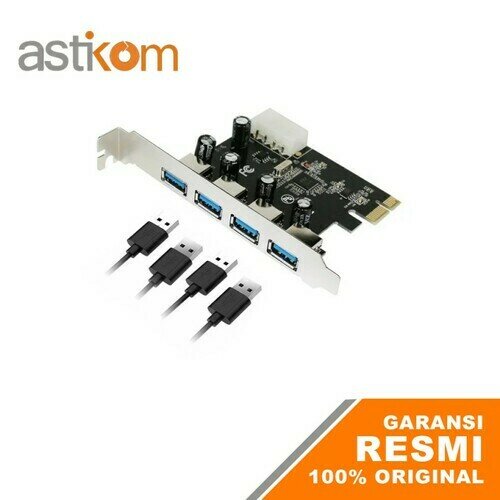
PCI Express Card Netline USB 3.0 4 Port
PCI Express USB 3.0 4 Port Card
Chipset VIA VL805
Features :
- This Interface Speeds the frequency of data transfer and the high perfomance of PCI Express Bus.
- Support PCI Express Base Spesification Revision Single-Lane (x1) PCI Express rates up to 5 Gbps.
- Supports simultaneous operation of multiple USB 3.0, USB 2.0 and USB 1.1 devices.
- Each USB port supplies maximum +5V/900mA power output to USB device
- Support Microsoft Windows 98SE/DOS/Linux/XP
Vista/Win7/Win8
Paket Penjualan terdiri dari :
- 1 Unit PCI Express USB 3.0 4 Port Card.
- 1 Unit CD Driver.
- 1 Lembar Manual Instalasi
Cara Pemasangan / Instalasi :
(Pastikan Komputer PC dalam keadaan mati/off)
1. Buka casing PC anda.
2. Tempatkan/tancapkan PCI-e USB 3.0 card pada slot PCI-e di mainboard anda.
3. Baut PCI-e USB 3.0 card.
4. Pasang kabel power dari power supply ke PCI-e USB 3.0 Card.
5. Tutup Casing PC anda.
6. Hidupkan komputer.
Cara Pemasangan / Instalasi drivers :
1. Masukkan CD Driver ke dalam CD/DVD device anda.
2. Buka folder "USB3.0 VL8xx Driver"
3. Jalankan file "VIA_XHCI_Driver_V4.00B_WithAp" dengan cara di klik kanan "Run as Administrator".
4. Ikuti petunjuk nya sampai selesai instalasi driver.
5. Restart komputer anda.
6. Selesai.
